QR CODE SCAN KIT
Scan any code.
Know what it is.
A calm QR code scanner and barcode scanner for iPhone and iPad. Scan and make QR codes, read every shop barcode, and make social codes for WhatsApp, Instagram and more.
Check links before they open, join Wi-Fi in one tap and see a food's grade and nutrition. No account, works offline, and your scans stay on your phone.
Free download · iPhone and iPad.

QR Code Scan Kit: Reader
Barcode Scanner & QR Generator
 Coming soon
iPhone · iPad · iPhone Duo
Purchases
How to scan a QR code on iPhone
No button to press and nothing to set up. It works the same for barcodes, on iPhone and iPad.
Open QR Code Scan Kit
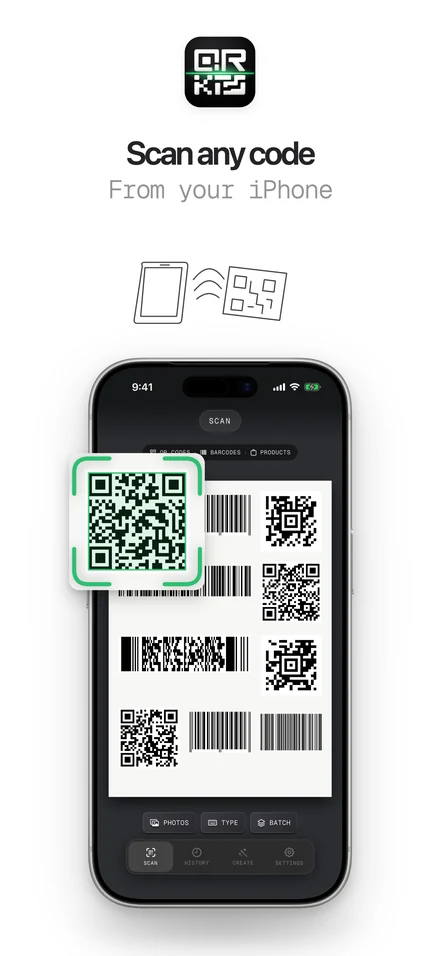
The camera starts on its own. There is no button to press.
Step one01/ 03Point it at the QR code
Hold the code inside the frame. The app reads it by itself.
Step two02/ 03Tap what you want to do
Open the link, join the Wi-Fi, save the contact or see the product. Links show where they go first.
Step three03/ 03
Got a code in a screenshot? Tap Photos in the scanner and pick the image.
One scanner for every code you meet
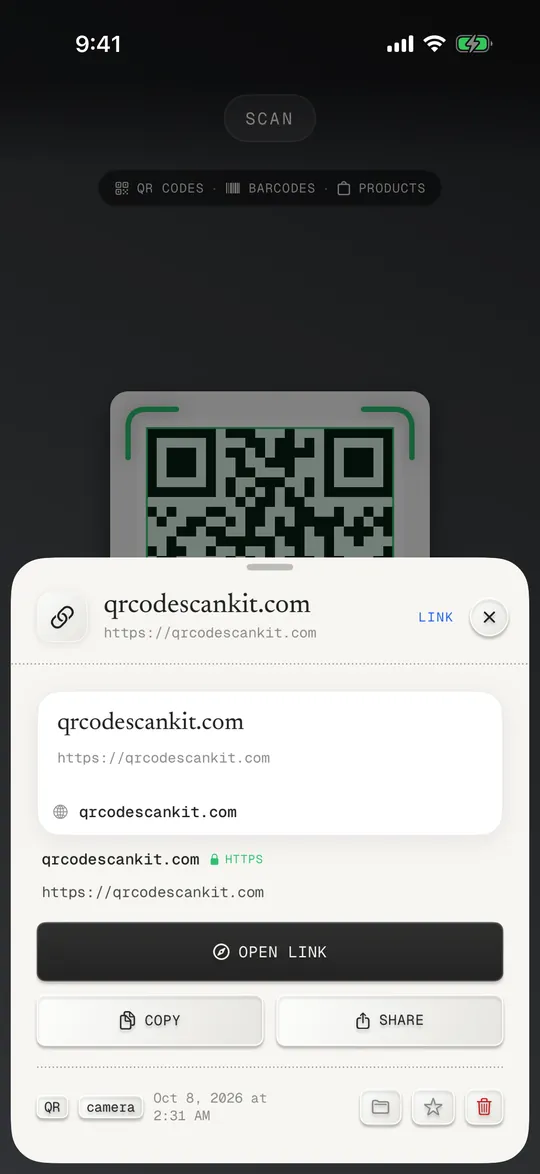
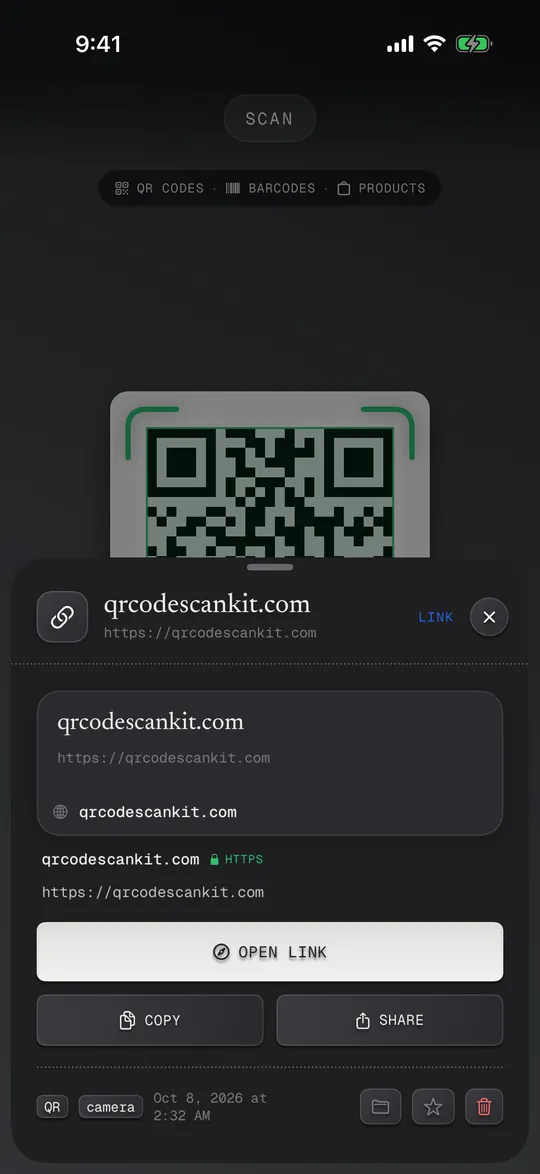
Menus, Wi-Fi stickers, parcels, food labels, posters. Point the camera and it tells you what the code is, then gives you one button for the next step.
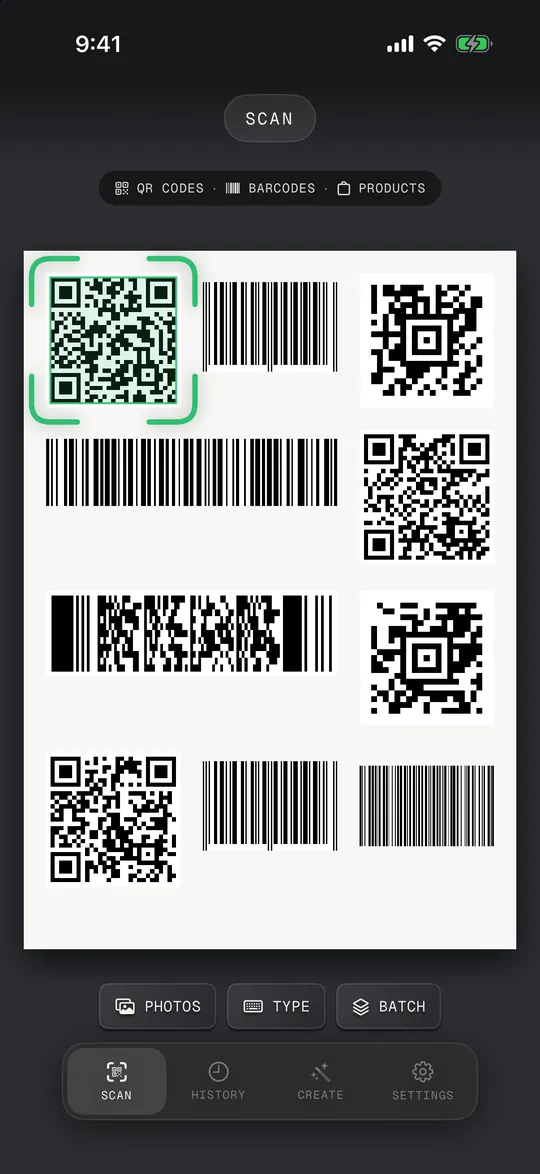
Photos and screenshots
Pick an image and it finds every code in it.
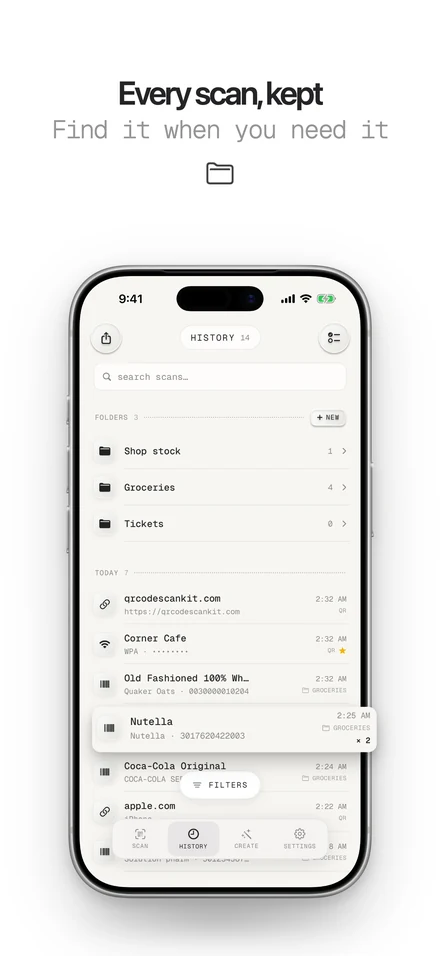
History and folders
Every scan saved and searchable. Sort them into folders.
Excel and CSV
Export your scans, or import a list to make codes from.
Works offline
Codes are read on your iPhone, no internet needed.
No account
Nothing to sign up for. Your history stays on your phone.
Scans stay on your phone
History and the codes you make live on your iPhone. Nothing you scan is sent to us.
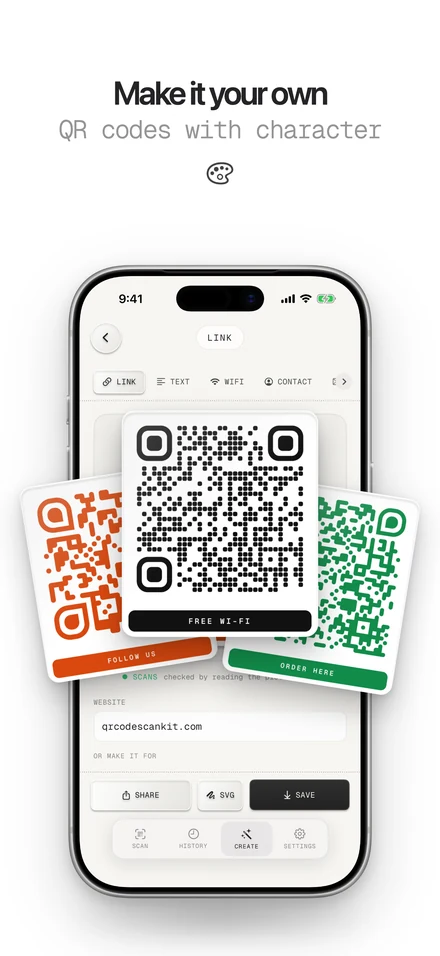
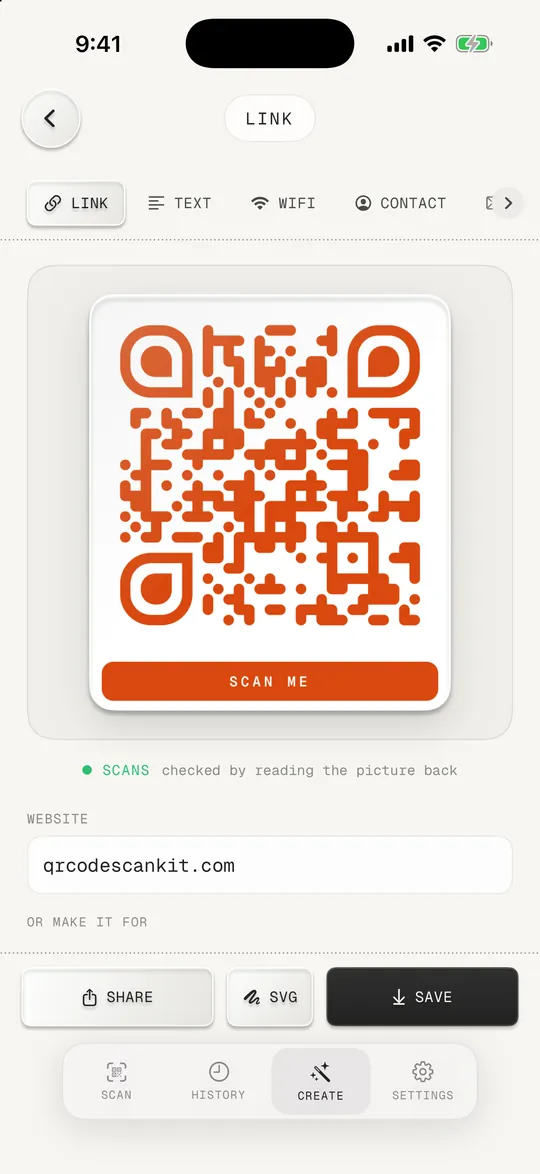
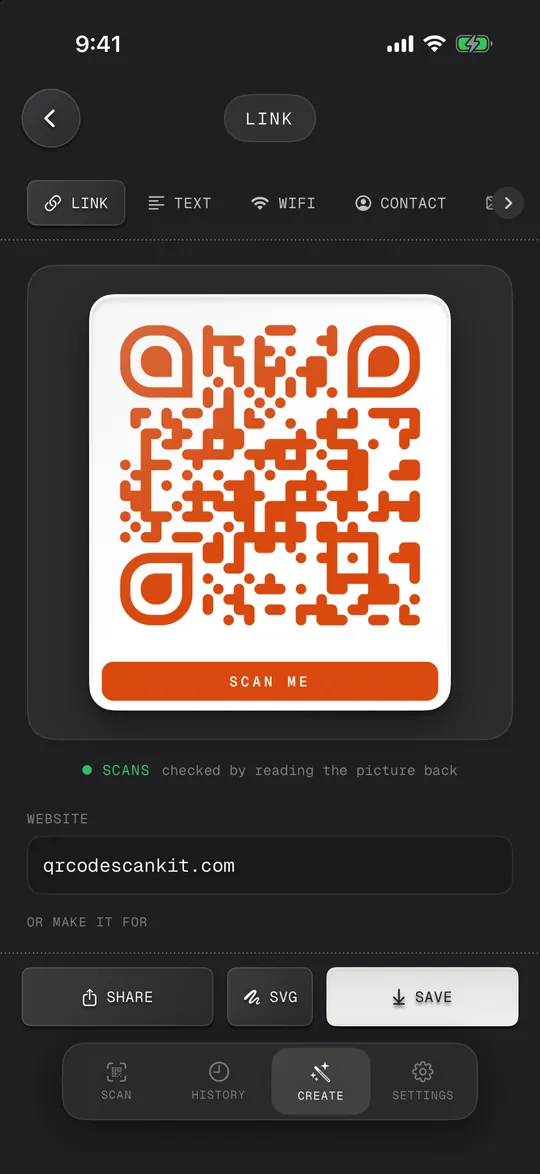
A QR code generator built in
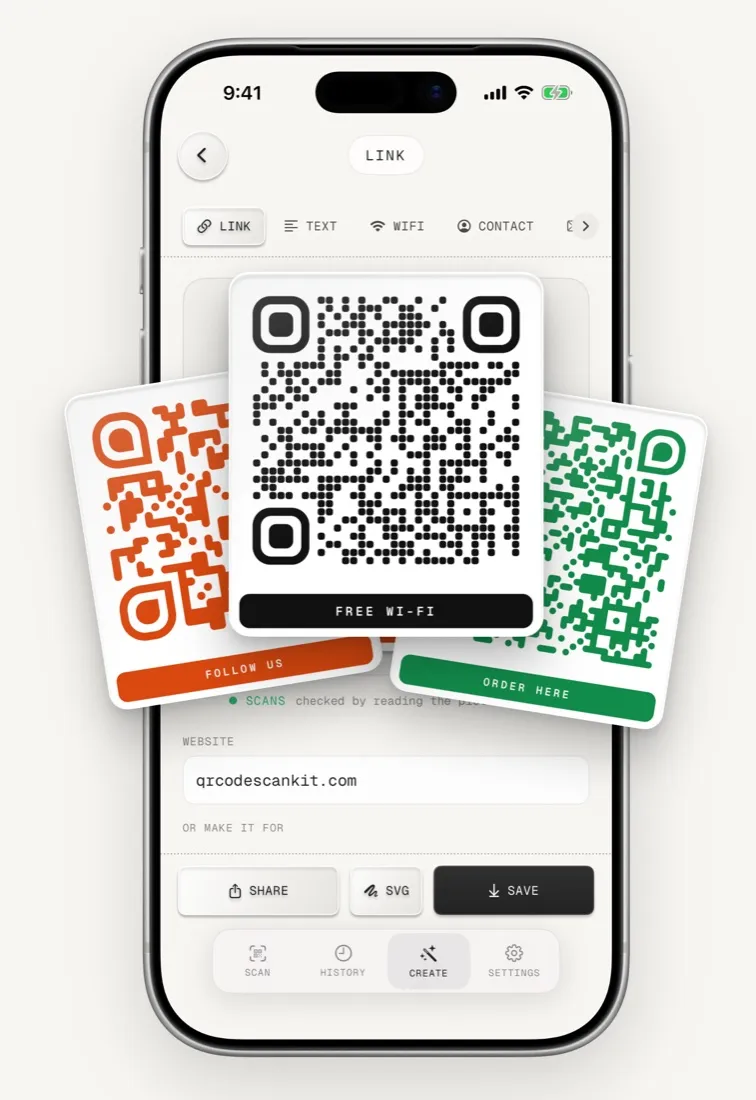
Make a QR code for anything you share, then save it, send it or print it. Add your colours, your logo and a caption like “Scan for Wi-Fi”, make social codes and shop barcodes, and export SVG.
- Type
- Static QR code
- Expires
- Never
- Account
- None
- Works without the app
- Yes
- Website linkURL
- Wi-FiWPA
- Contact cardvCard
- Emailmailto
- Text messageSMS
- EventiCal
- Locationgeo
- WhatsApp, Telegramchat
- Instagram, YouTube, Facebookprofile
- X, LinkedInprofile
- Shop barcodeEAN · UPC
- Your colours and logostyle
The information lives inside the code, so it keeps working even if you delete the app.
Everything you need to scan and check codes
The engine behind every scan.
Check before you open
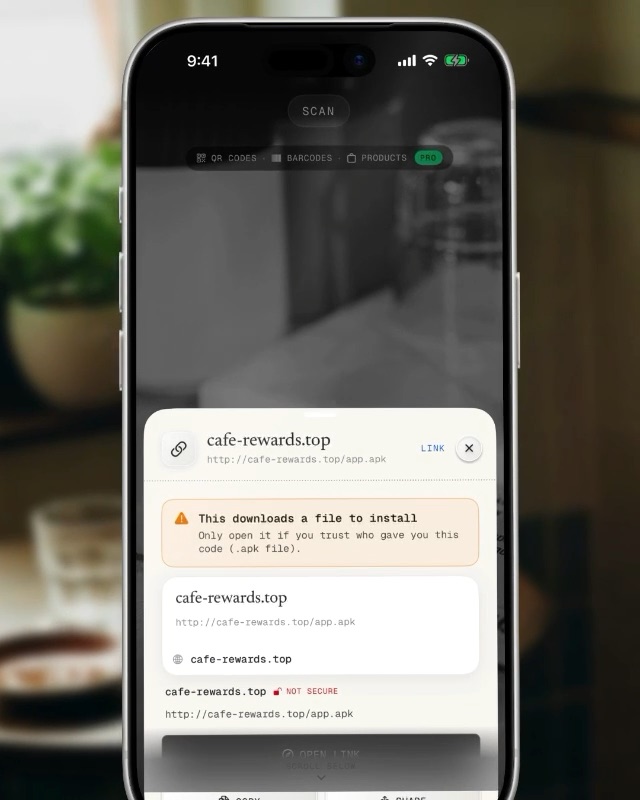
A sticker on a parking meter says “Scan to pay”. Before anything opens, the app shows the real address and the warning signs.
- The full web address, not a short preview
- Warnings for look-alike names, hidden redirects and app files
- A risky link needs a second tap to open
Made for your day
One scanner for the codes you meet from morning to night.
- Shop: count stock into a spreadsheet or CSV
- Restaurant or café: open the menu, join the Wi-Fi
- Travel: read tickets and boarding passes
- Home: share guest Wi-Fi, look up a product barcode
Stays on your phone
Your scans, history and the codes you make live on your iPhone. Nothing you scan is sent to us.
- No account
- Works offline
- No third-party ads
- No tracking
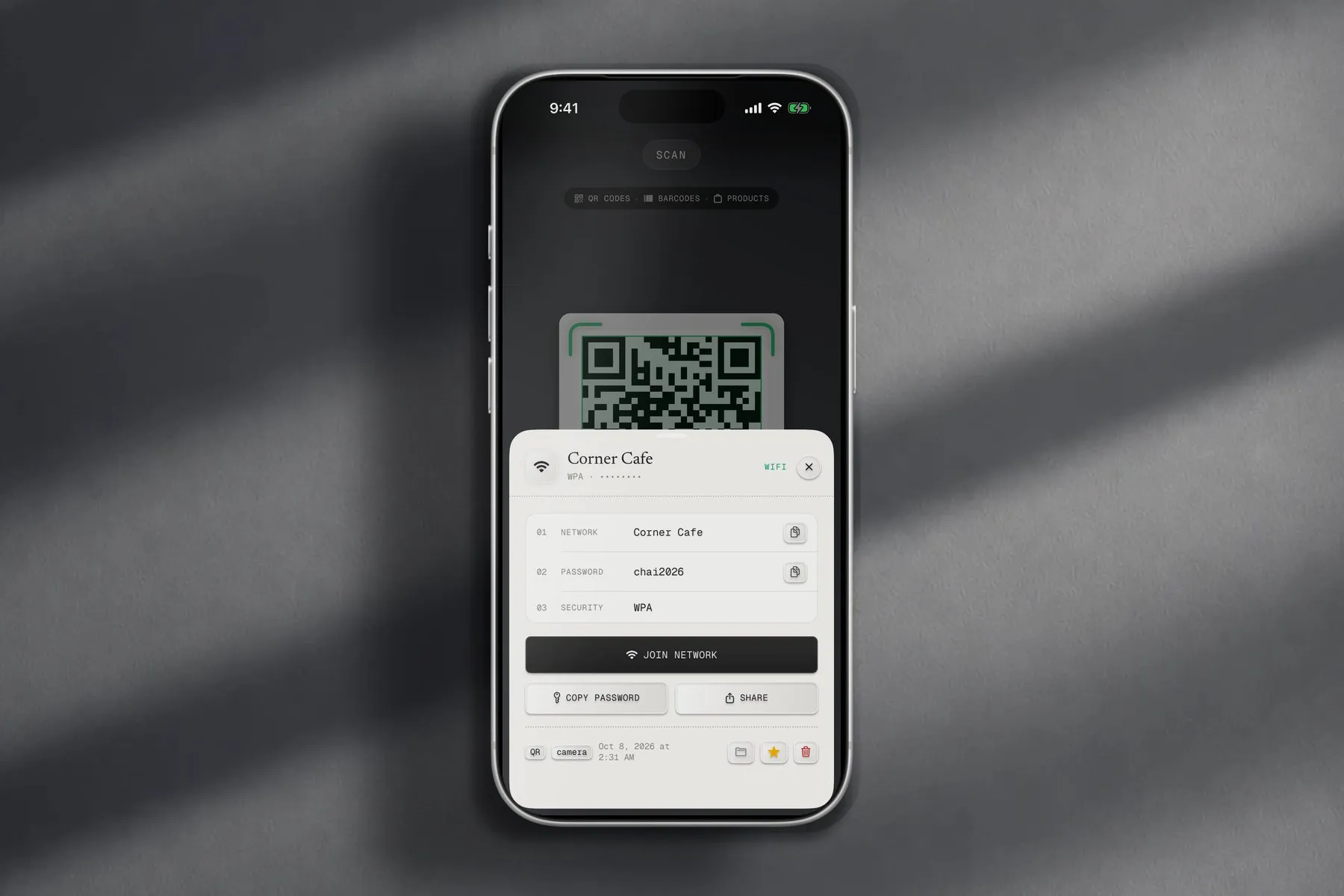
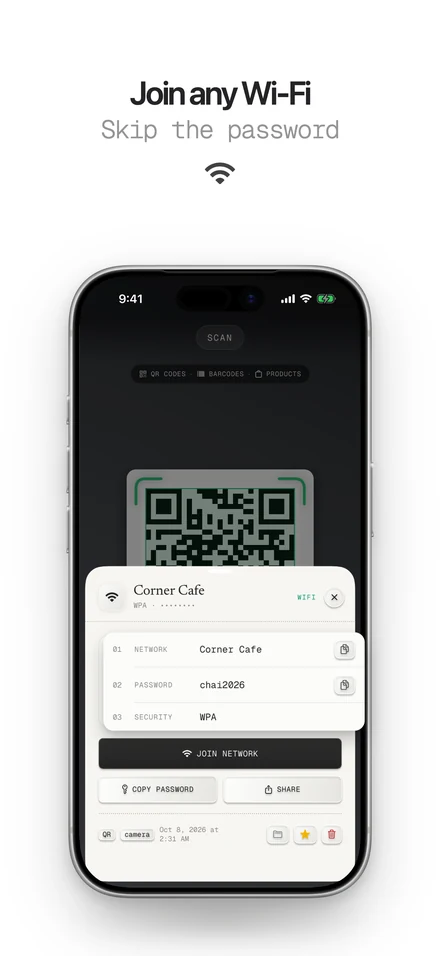
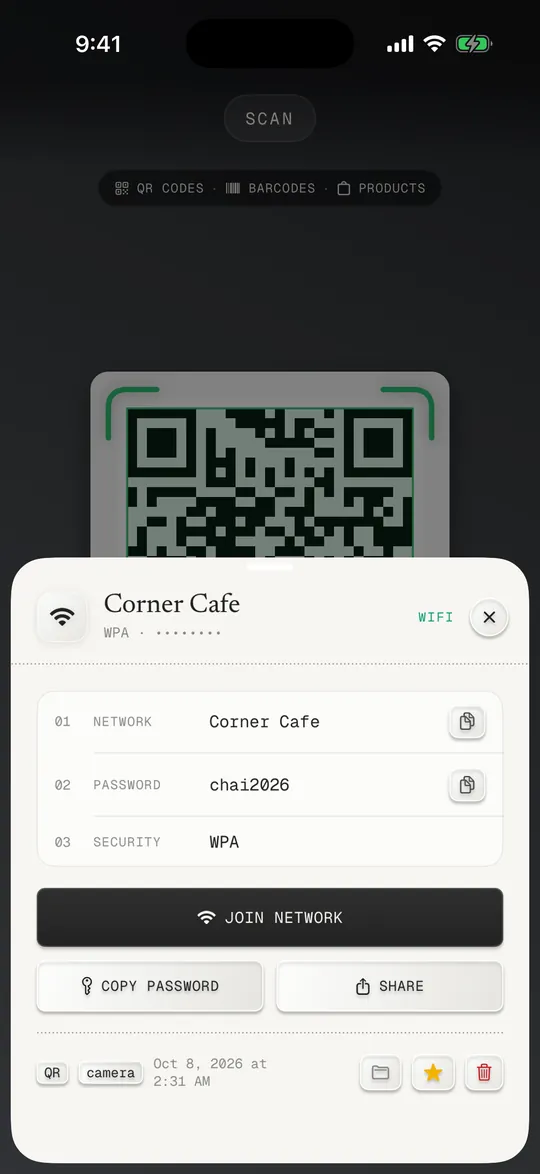
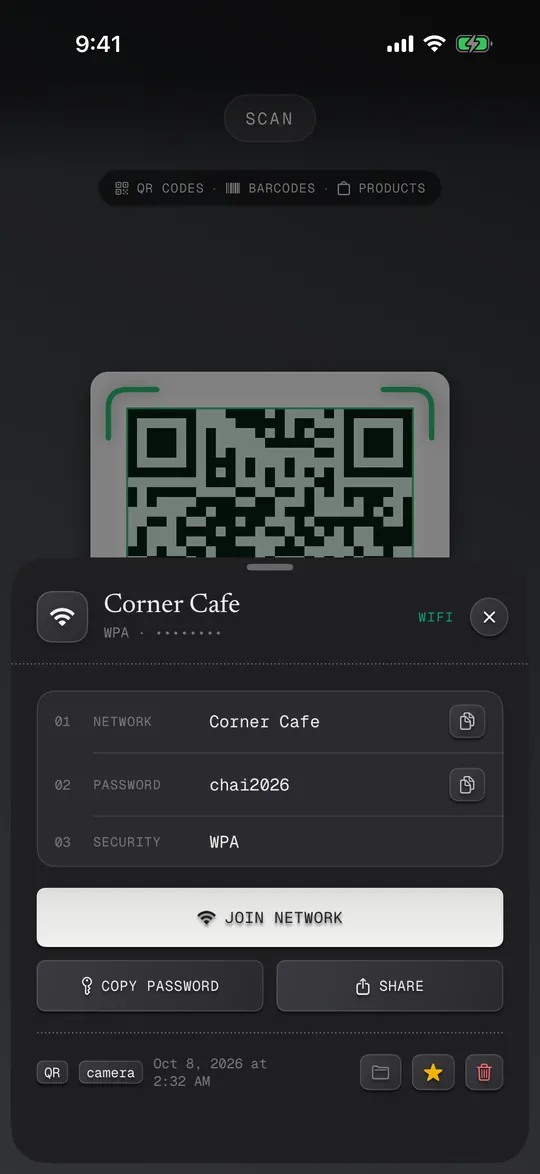
Wi-Fi in one tap
Scan the code on the wall and tap Join network. The password goes in for you.
- Network, password and security shown
- Copy or share the password
- Make a Wi-Fi code for guests
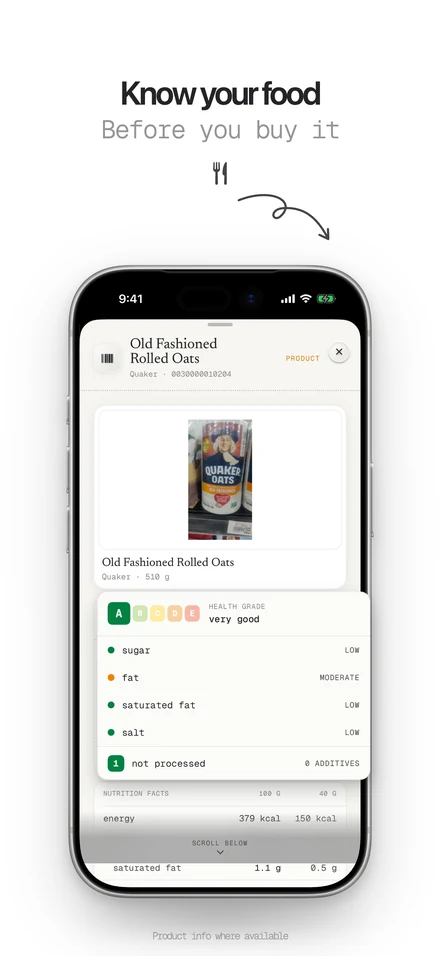
Know what you're buying
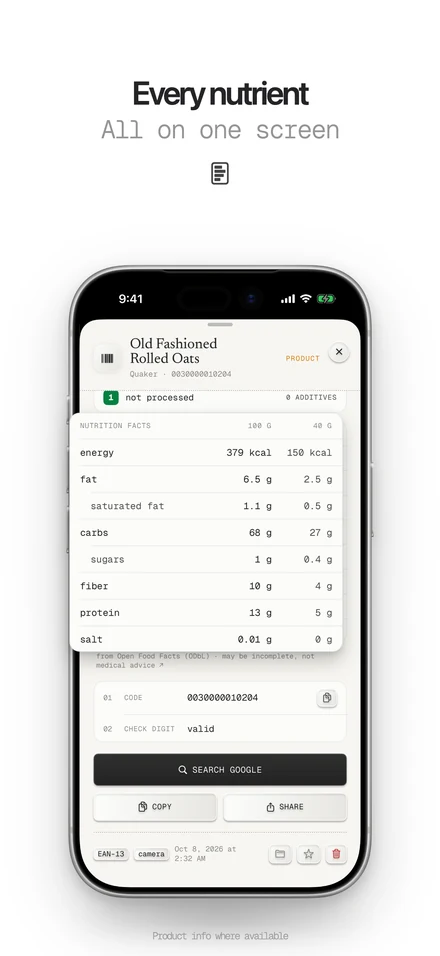
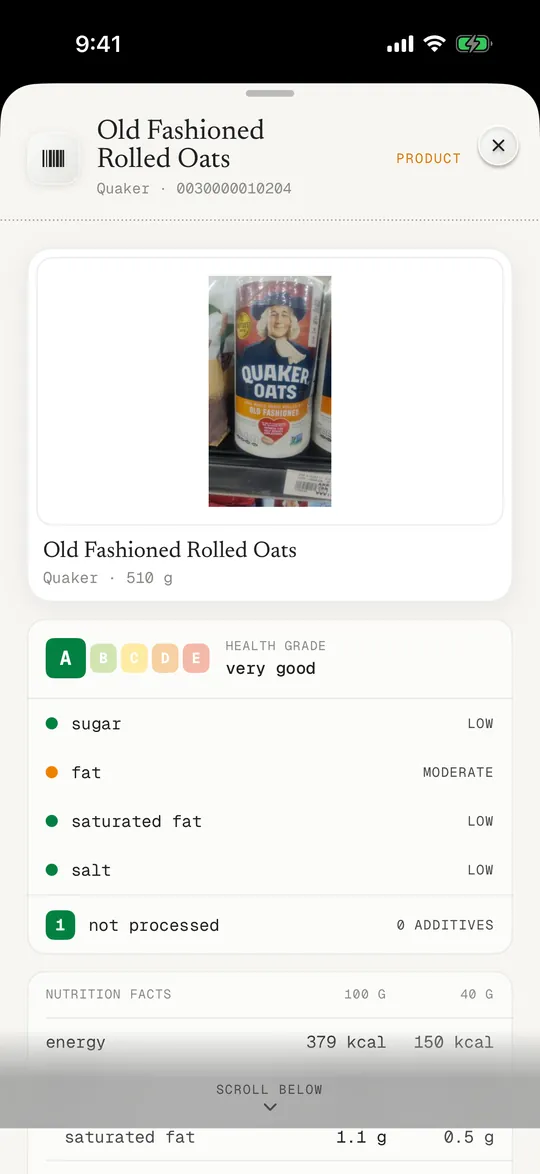
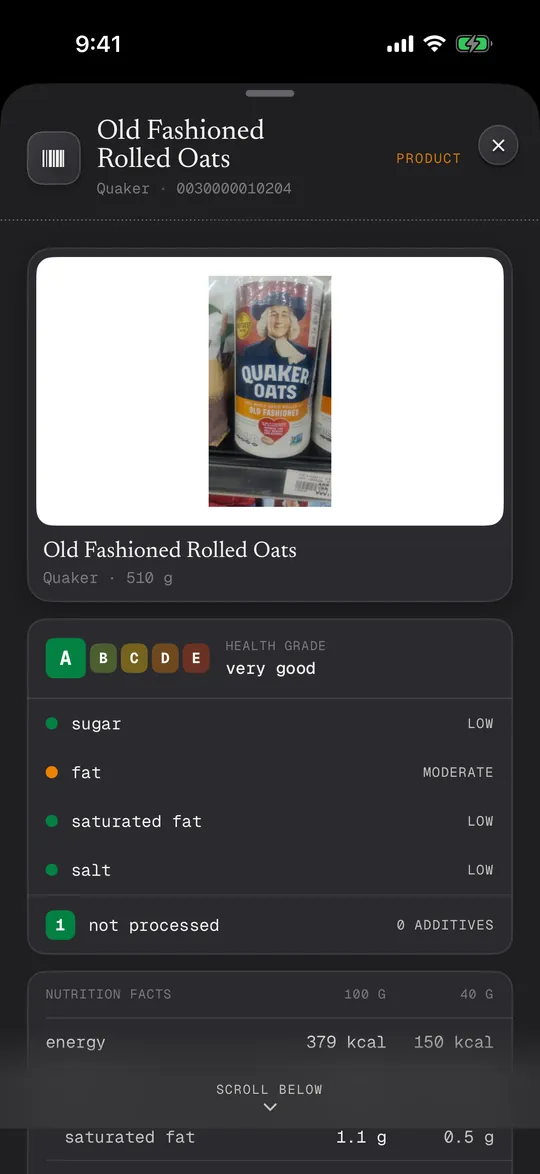
Scan a product barcode for its name and photo, and for food the health grade and nutrition from Open Food Facts.
- EAN, UPC and ISBN barcodes
- Grade A to E, sugar, fat and salt
- A guide to compare, not medical advice
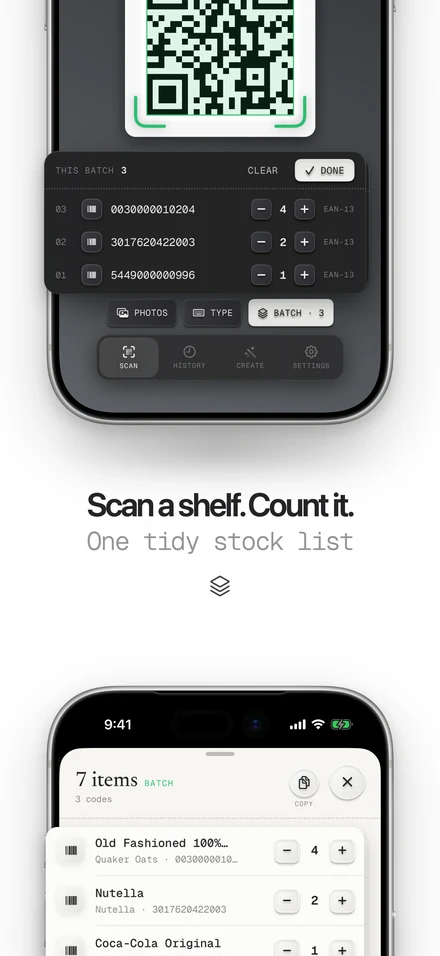
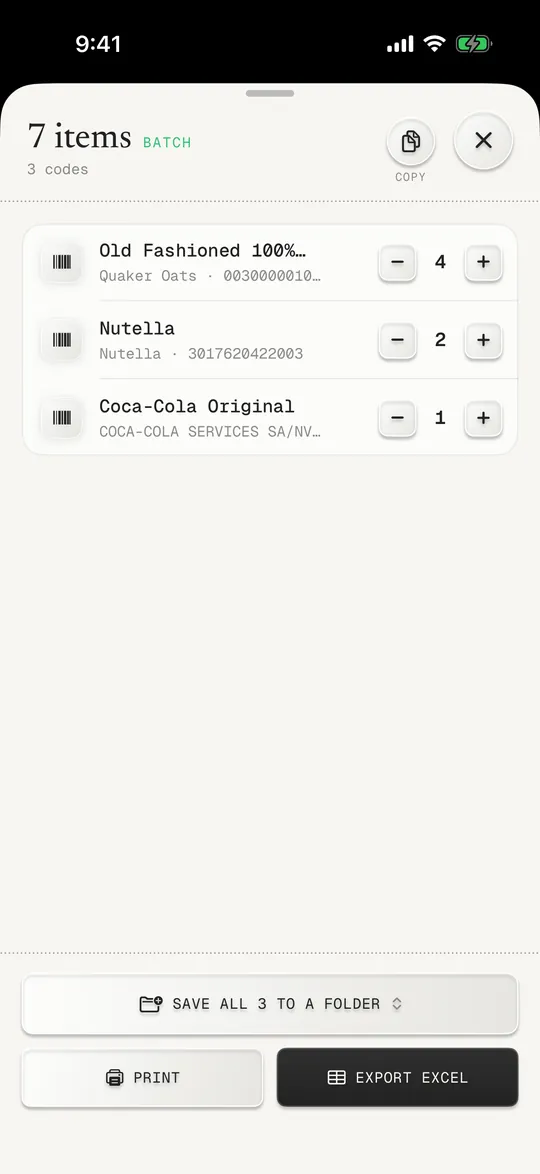
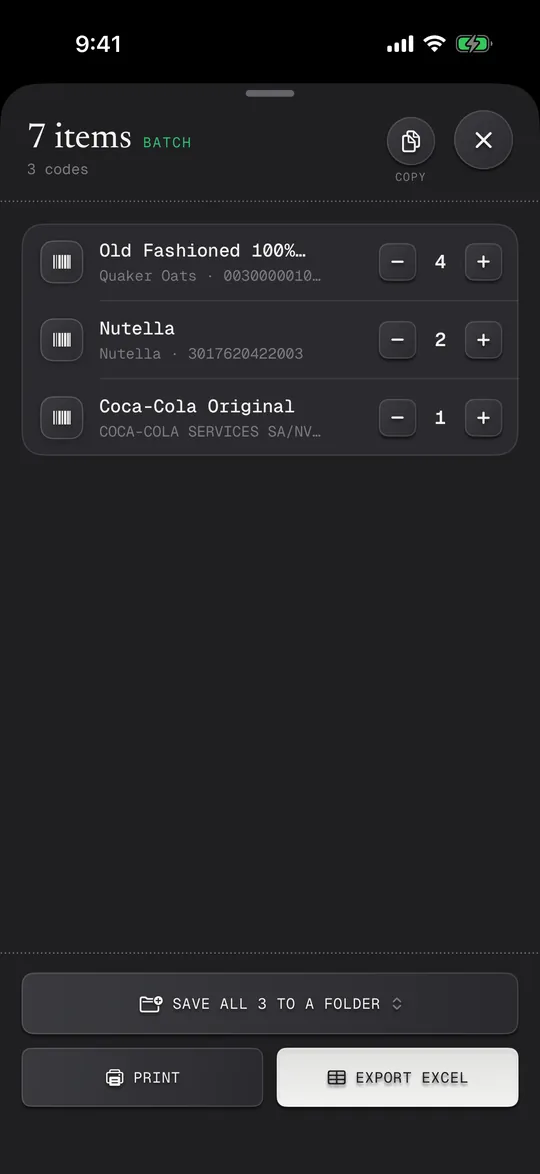
Count stock in a row
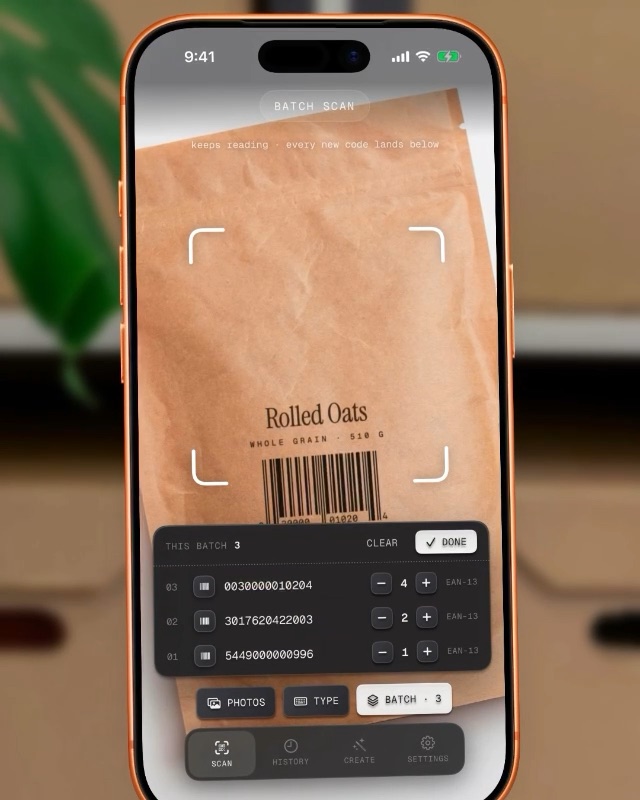
Batch scan keeps reading. Scan the same code again and it counts one more.
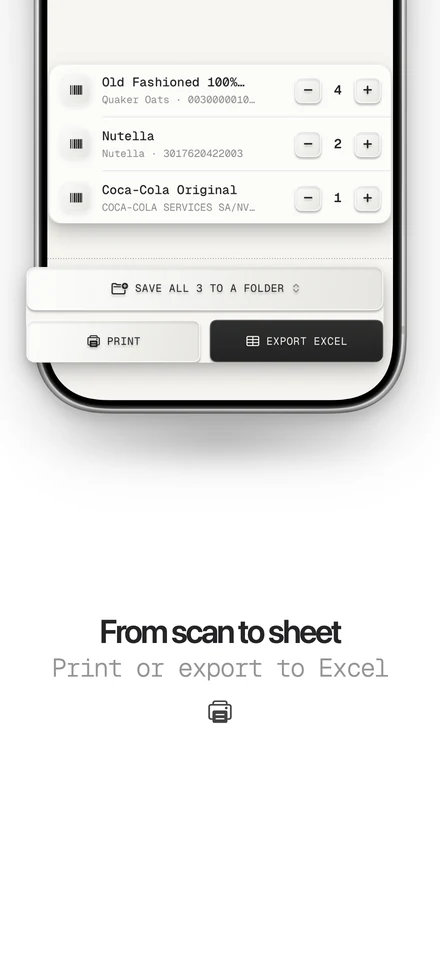
- Change counts with + and −
- Save the batch to a folder
- Export to Excel or CSV
Coming sooniPhone · iPad · iPhone Duo
Free to download · iPhone and iPad
Free QR code and barcode tools
Read, check and convert codes on any phone or computer. Nothing is uploaded and there is no sign-up.
QR code scanner questions
What it reads, what it makes and what it never does.
More answers on the FAQ page, and the facts in one place on About. Purchases, restoring and refunds: support. How your data is handled: privacy.
Product data from Open Food Facts, available under the Open Database License.
What is QR Code Scan Kit?
QR Code Scan Kit is a QR code scanner and barcode scanner for iPhone and iPad, made by BUILDLANES. It reads QR codes and 16 barcode formats, shows where a link really goes before it opens, joins Wi-Fi in one tap, and makes QR codes and barcodes. Scanning works offline, there is no account, and scans stay on the phone.
How do I scan a QR code on my iPhone?
Open QR Code Scan Kit and point the camera at the code. It reads it straight away and shows what it is (a website, Wi-Fi network, contact, payment or product) with one button for the next step. Your iPhone camera can scan QR codes too, but it only shows a small link; the app shows where the link really goes, keeps a history and reads barcodes as well.
Can I scan a QR code from a photo or screenshot?
Yes. Tap Photos in the scanner and pick the image. The app finds the QR codes and barcodes in it, so codes you were sent in a chat or saved from a website work too.
Is it safe to scan a QR code?
Scanning is safe; opening the link is where scams happen. QR Code Scan Kit shows the real address before anything opens and warns you about common tricks, such as look-alike letters in a site name or a link that hides where it goes. If a code asks you to log in or pay unexpectedly, don't.
How do I connect to Wi-Fi with a QR code?
Scan the Wi-Fi QR code and tap Join network. The app reads the network name and password from the code and connects you, so you never type the password.
What barcodes can it read?
QR codes and Micro QR codes, product barcodes such as EAN-13, EAN-8, UPC-A and UPC-E, ISBN on books, Code 128, Code 39, Code 93, ITF and ITF-14, Codabar, GS1 DataBar, Data Matrix, PDF417 and Aztec.
Can I make barcodes and social QR codes?
Yes. The barcode maker makes shop barcodes (EAN-13, UPC-A, EAN-8, UPC-E), Code 128, ITF-14, Data Matrix and more, with the check digit added for you. Social codes open a WhatsApp chat or an Instagram, YouTube, Facebook, X, LinkedIn or Telegram profile, with the real logo in the middle.
Can I make my own QR code? Does it expire?
Yes. The built-in QR code generator makes codes for links, Wi-Fi, contacts, email, texts, events and places, and you can add your colours and logo. They are static codes: the information is inside the code itself, so they never expire, need no account and keep working even if you delete the app.
What does the food check show?
Scan a food barcode to see its health grade and nutrition per 100 g, from the free Open Food Facts database. It only works for products in that database. It is a guide to compare products, not medical or diet advice.
Is QR Code Scan Kit free?
Free to download. Some extra features are part of Scan Kit Pro — you'll see the options and prices in the app. No account needed.
Does it work without internet?
Yes. Scanning happens on your iPhone, so QR codes and barcodes are read offline. Only extras like product details or a link preview need a connection.
Do I need an account?
No. There is nothing to sign up for and no login. Your scans, history and the codes you make stay on your phone, and nothing you scan is sent to us.
Know where a code goes before you open it.
Coming sooniPhone · iPad · iPhone Duo